Integrations & automation
Connecting a coding agent safely: keys, roles, and scopes over MCP
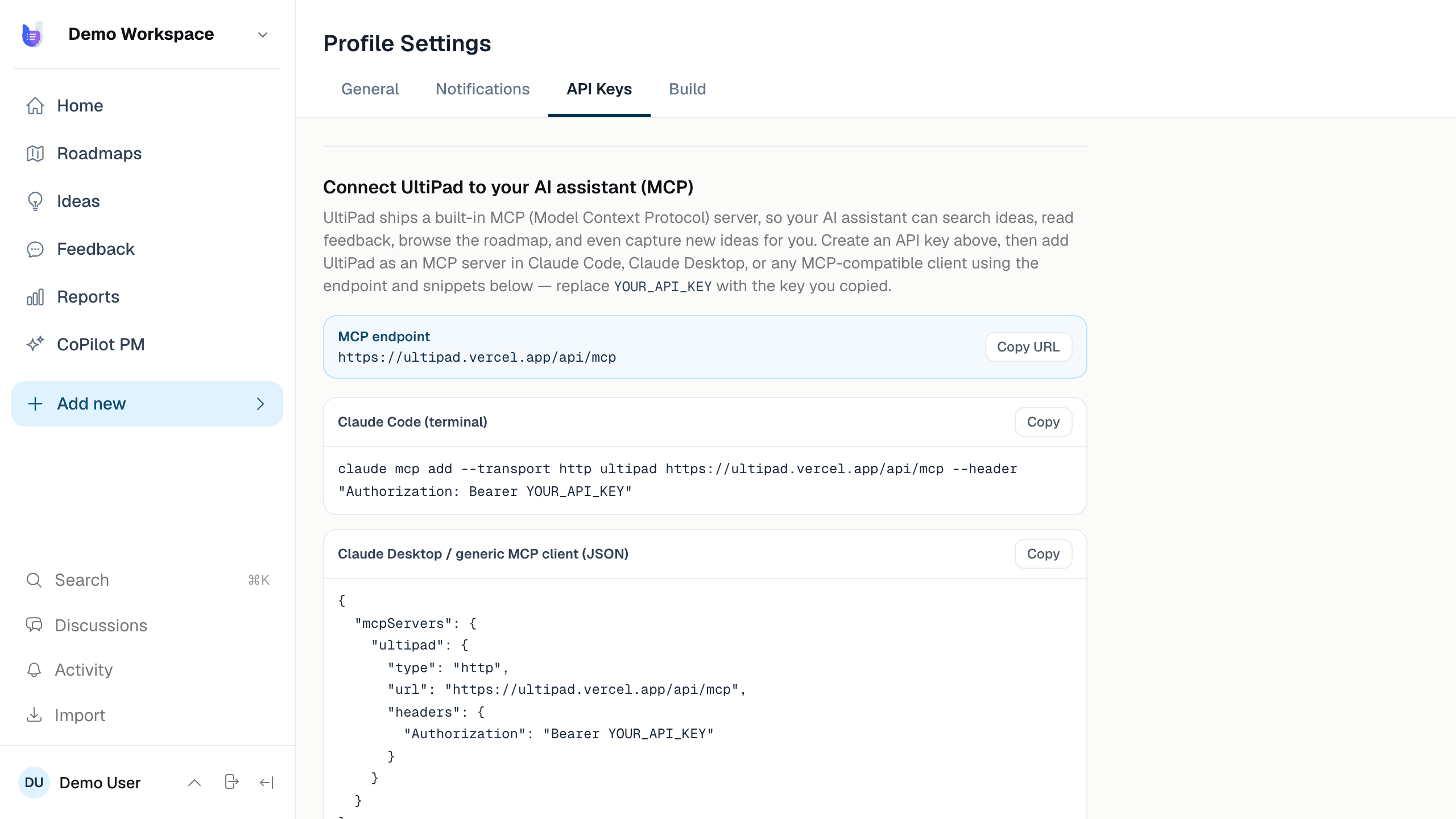
One command connects Claude Code or Cursor to 35 product tools — governed by per-user API keys, a read-only reviewer role, and product scoping enforced on every call.
35
tools behind one endpoint
3
roles: admin, editor, reviewer
1
command to connect a client
Giving an AI agent write access to your product workspace should worry you — it worried us, and we built the rules we wanted before wiring our own agent in. The connection itself is one command: claude mcp add ultipad --transport http, pointing at the workspace's MCP endpoint with a bearer key. Cursor, Codex, and Claude Desktop follow the same pattern.
Keys are people, not gods
Every API key belongs to a user and inherits that user's role and product scope. A reviewer key is read-only at the server: the write tools refuse it outright, so you can hand one to an analytics agent or an auditor with zero risk of it filing ideas. An editor key scoped to two products can read and write those two products — and receives not-found for everything else, never confirming other data exists. Scoping isn't a client-side filter; it's applied inside every tool handler.
What the 35 tools cover
Reading: product overviews, roadmaps, objectives, ideas, feedback, specs, workflow stages, reports summaries. Writing: creating ideas and feedback, drafting and fetching agent specs, adding user stories, linking work to initiatives and key results, recording commits with diff stats, posting comments (badged as AI), attaching files, and reporting dev progress — the call that moves workflow stages and checks off stories.
Two deterministic helpers keep agents honest in practice: a rules snippet for the agent's instructions file (check for an existing idea before building; report progress at start, blocked, and completion) and a post-commit hook that reminds the agent to record every commit with its git shortstat numbers. Reliability by construction, not by prompt-hoping.
Why this matters beyond us
Teams adopting coding agents hit the same wall: the agent is capable but context-blind, and every mitigation is a copy-paste ritual. A governed MCP surface fixes both — the agent reads the decision behind the ticket, and everything it does lands back in the system of record under its own identity.
Run this loop on your own product.
We're onboarding teams in waves — join the waitlist and we'll open your workspace.
Join the waitlistRead next
The loop without the agent: webhooks and a REST API do the boring wiring
Commits auto-link to ideas from your git host's webhook — including AI-authorship detection from commit trailers — and a rate-limited REST endpoint turns any support desk into a feedback source.
How UltiPad built itself: 30+ features shipped by a coding agent
UltiPad is developed inside UltiPad. Ideas become specs, a coding agent builds them over MCP, and every commit reports back — 3,028 AI-written lines, counted commit by commit.